A to‑do list that's just a text file.
Kanban board. Outline view. Or open the raw Markdown and type. Listo keeps all three in sync — no database, no account, no lock‑in. Just a .md file, wherever you keep it.
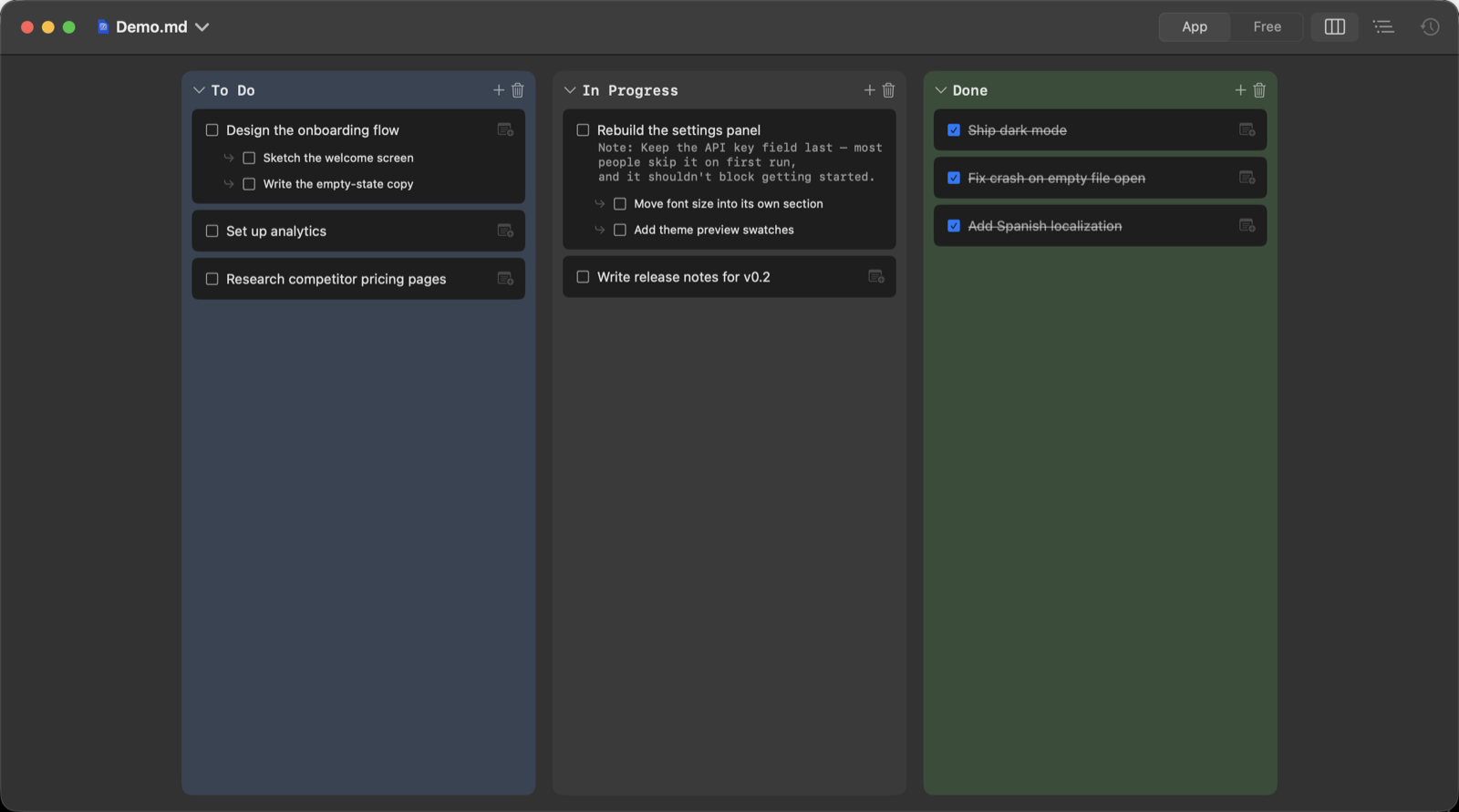
One file, three ways to look at it.
Switch views without switching files. Every checkbox, subtask and note is the same underlying Markdown — Listo just renders it differently depending on how you want to work right now.
Kanban, for moving work along
Sections become columns. Drag a card, check it off, collapse a column you're not looking at. Each heading in the file — # To Do, # In Progress — is a column here, nothing more configured.
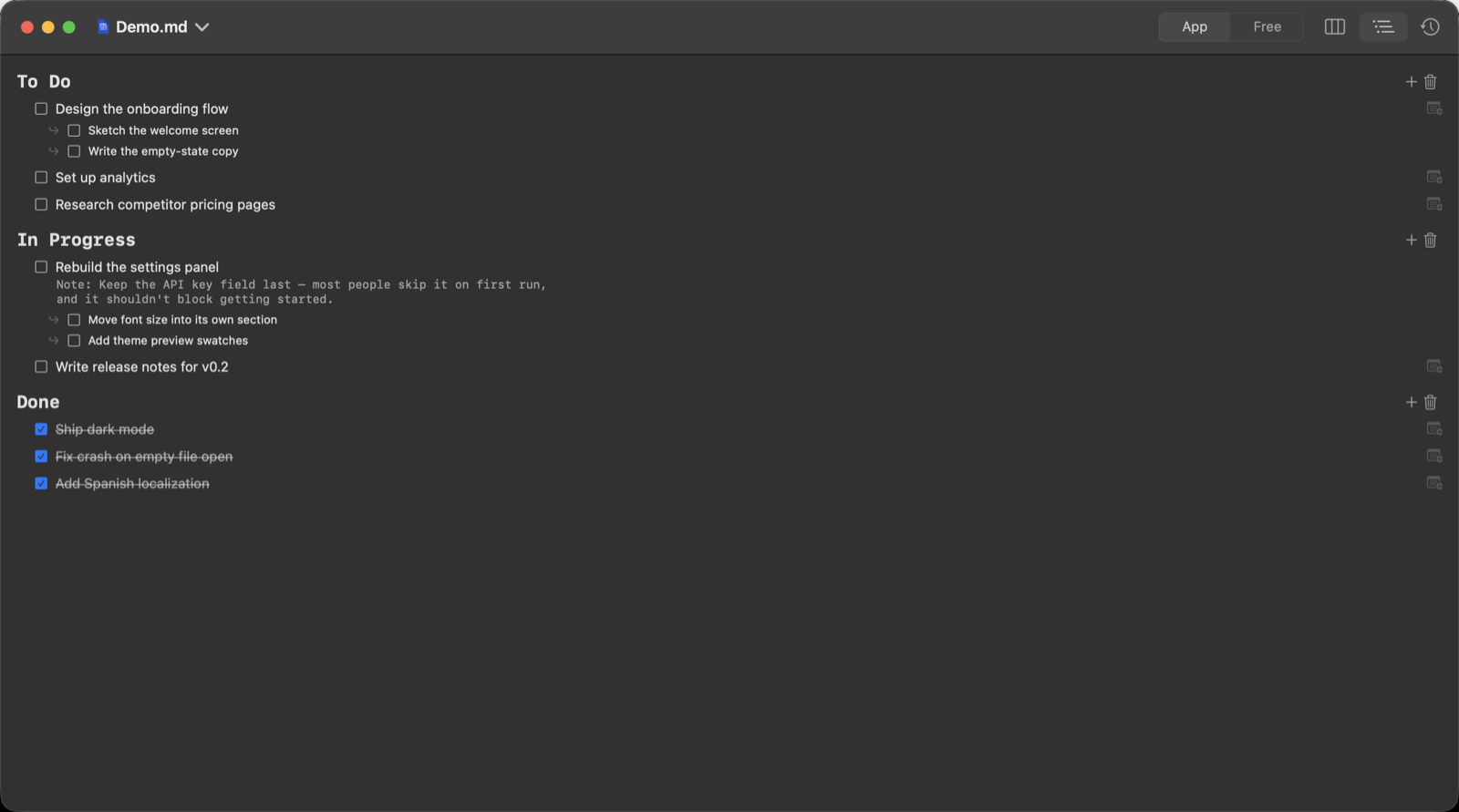
Outline, for reading it top to bottom
The same sections and tasks, laid out as one scrollable document with real typographic hierarchy — closer to how the file actually reads. Good for reviewing everything at once, or on a smaller window.
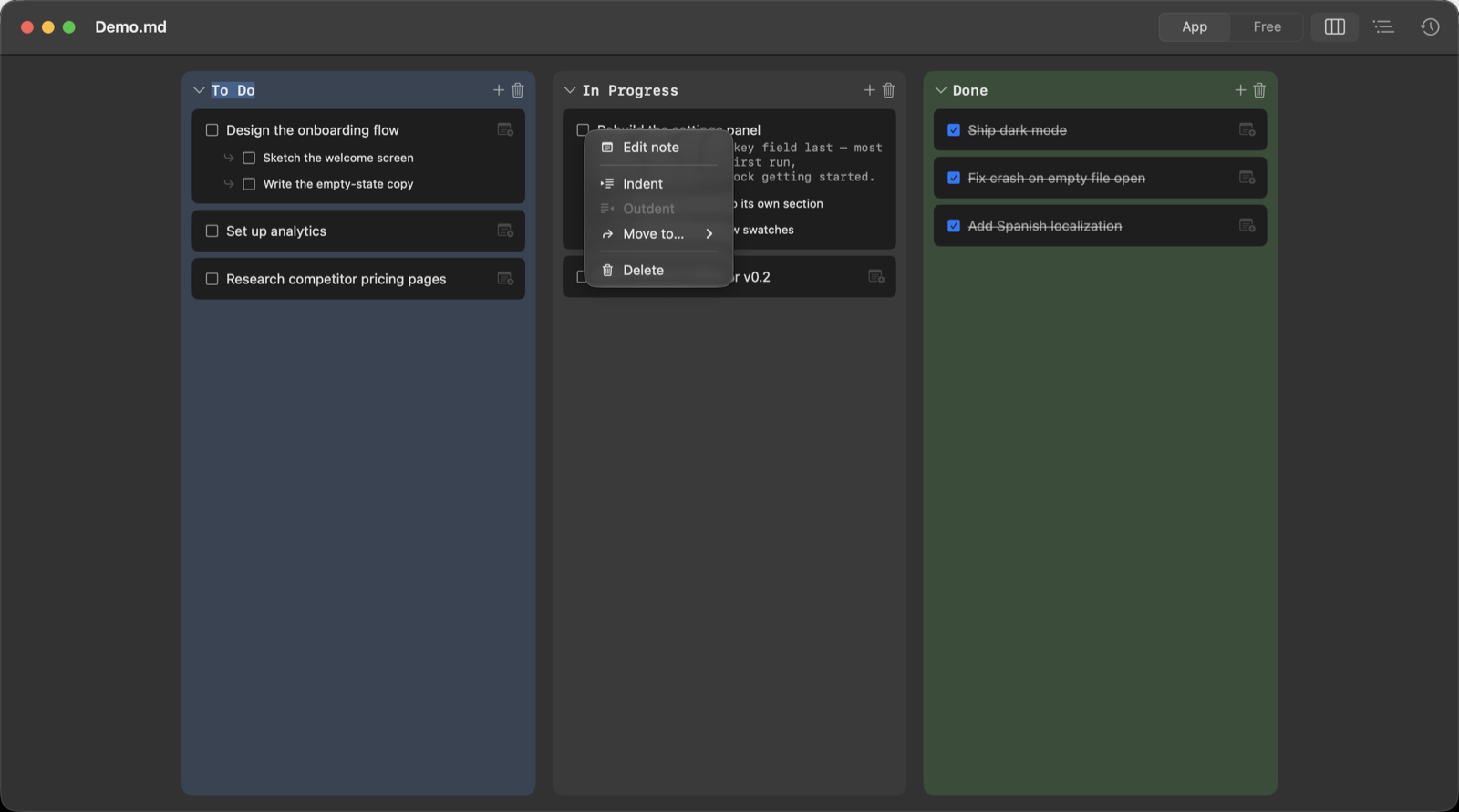
Things‑style keyboard control
Select a row, then ⇥ / ⇧⇥ to indent or outdent, arrow keys to move, right‑click for the rest — rename, move to another column, edit its note, split it into one task per subtask (⌘T), delete. Nothing here requires reaching for the mouse.
It's just Markdown. Really.
Every list Listo shows you is a plain .md file on disk — the same one you could open in TextEdit, sync with iCloud or Dropbox, or edit from any other machine. Nothing about it is Listo‑only.
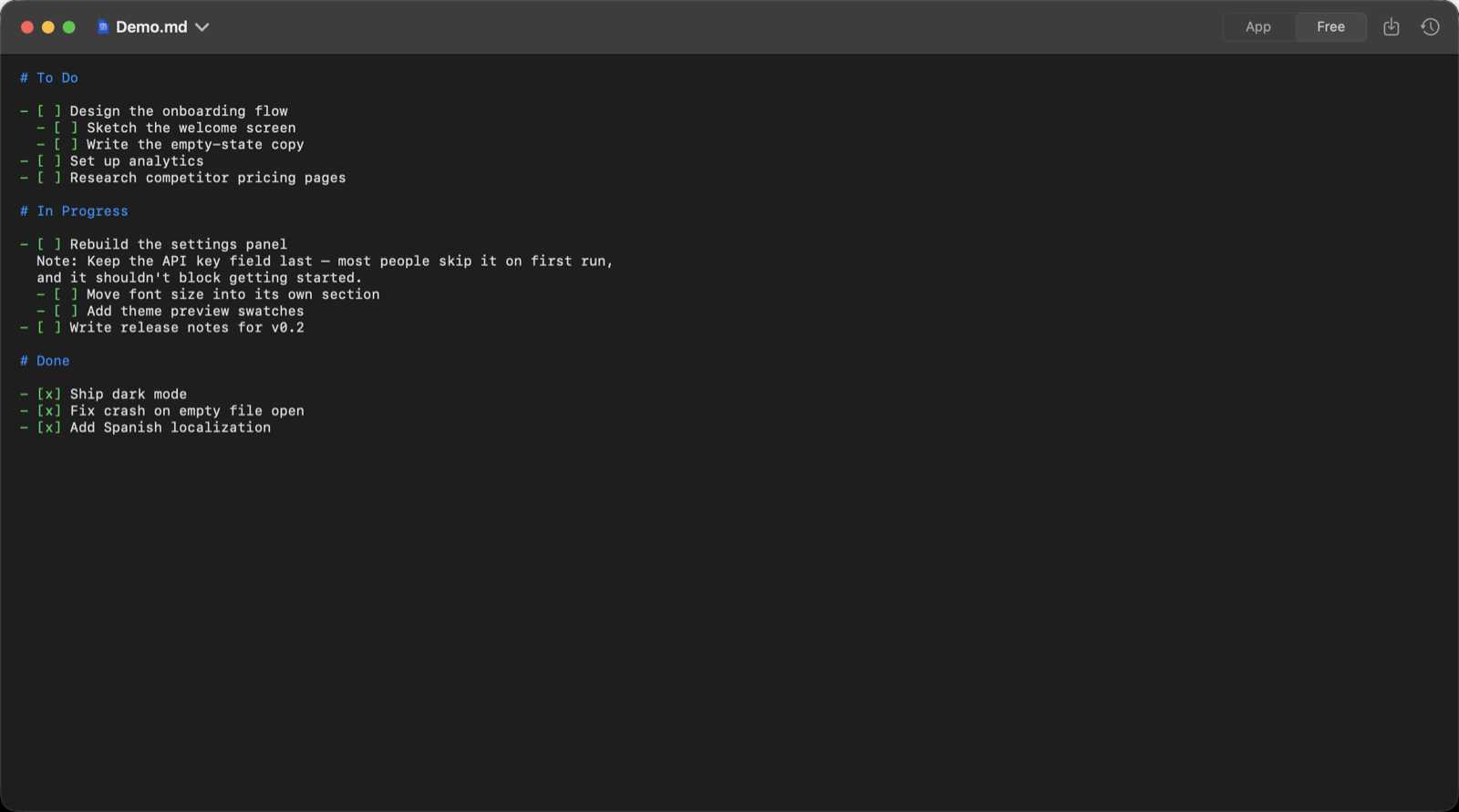
Prefer to type directly? Free Mode gives you the raw text with syntax highlighting — no watcher fighting your edits, no auto‑formatting while you type. Listo only re‑reads the file when you save, so pasting or typing fast never gets reverted out from under you.
Small, deliberate scope.
Two levels, on purpose
A task can carry one note and a set of subtasks. Subtasks stay simple — no infinite nesting to get lost in.
Local files, no account
Listo opens and saves ordinary files. Put them in iCloud Drive, a git repo, or nowhere special — it doesn't care.
An LLM only if you bring one
Edit Free Mode text in a way that's genuinely ambiguous, and Listo can ask an LLM to reconcile it — using your own API key. Skip Settings entirely and it just logs the change as unresolved.
Native, not wrapped
A real SwiftUI app — window tabs, Open Recent, ⌘+/⌘− for font size, light and dark mode, in English or Spanish.
Three commands, via Homebrew.
Listo ships as a signed, ad‑hoc build distributed through a Homebrew cask — no App Store, no notarization fee passed on to you.